
LeadReference - Google Play
You'll be able to see results in few seconds.
Publisher Description

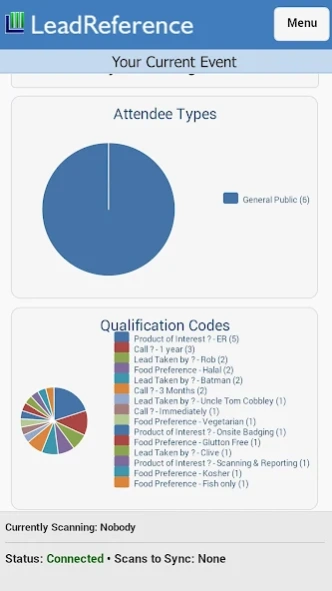
This app allows existing LeadReference users to gather leads at exhibitions.
Are you a LeadReference user? If you are, you can now have the lead management system with you wherever you are thanks to the LeadReference exhibitor app.
How does it work?
To get the most out of your leads, we will send you your username and password before the event.
Once you’ve set-up your event online, login to the LeadReference app, which will sync with your online account, and you can get started capturing leads on your mobile.
Simply scan the barcodes on delegate badges and select the relevant options to qualify leads.
Your leads will be fully uploaded 24 hours after the end of the event, where you can access, filter and export your data.
What does it do?
With the LeadReference app you can:
• Scan delegate badge barcodes
• Qualify leads
• Make additional notes
• Access your data online across multiple devices
• Filter your data for in-depth analysis
• Export to Microsoft Excel
Revolutionise the way you collect and manage leads at events with the LeadReference app.
About LeadReference
The company that develops LeadReference is EventReference. The latest version released by its developer is 1.0.
To install LeadReference on your Android device, just click the green Continue To App button above to start the installation process. The app is listed on our website since 2026-07-22 and was downloaded 0 times. We have already checked if the download link is safe, however for your own protection we recommend that you scan the downloaded app with your antivirus. Your antivirus may detect the LeadReference as malware if the download link to com.reftech.leadreference is broken.
How to install LeadReference on your Android device:
- Click on the Continue To App button on our website. This will redirect you to Google Play.
- Once the LeadReference is shown in the Google Play listing of your Android device, you can start its download and installation. Tap on the Install button located below the search bar and to the right of the app icon.
- A pop-up window with the permissions required by LeadReference will be shown. Click on Accept to continue the process.
- LeadReference will be downloaded onto your device, displaying a progress. Once the download completes, the installation will start and you'll get a notification after the installation is finished.
Program Details
System requirements
Download information
Pricing
Version History
version
posted on 2026-07-22
- Compatibility updates for newest OS versions.
version
posted on 2026-06-26
- Minor update to lead qualification code handling.
version
posted on 2025-10-31
- Better compatibility with newer Android versions.
- Barcode scanning performance improved.
version 1.1.9
posted on 2023-09-08
Various minor updates to improve connectivity and the overall user experience.
Disclaimer
Official Google Play Link
We do not host the LeadReference app on our servers. We did not scan it for viruses, adware, spyware or other type of malware. This app is hosted by Google and passed their terms and conditions to be listed there. We recommend caution when installing it.
The Google Play link for LeadReference is provided to you by apps112.com without any warranties, representations or guarantees of any kind, so access it at your own risk.
If you have questions regarding this particular app contact the app developer directly. For questions about the functionalities of the apps112.com website, contact us.
